
We use cookies 🍪
We use cookies and other similar technologies to improve your browsing experience and the functionality of our site. Learn more in our Privacy Policy.

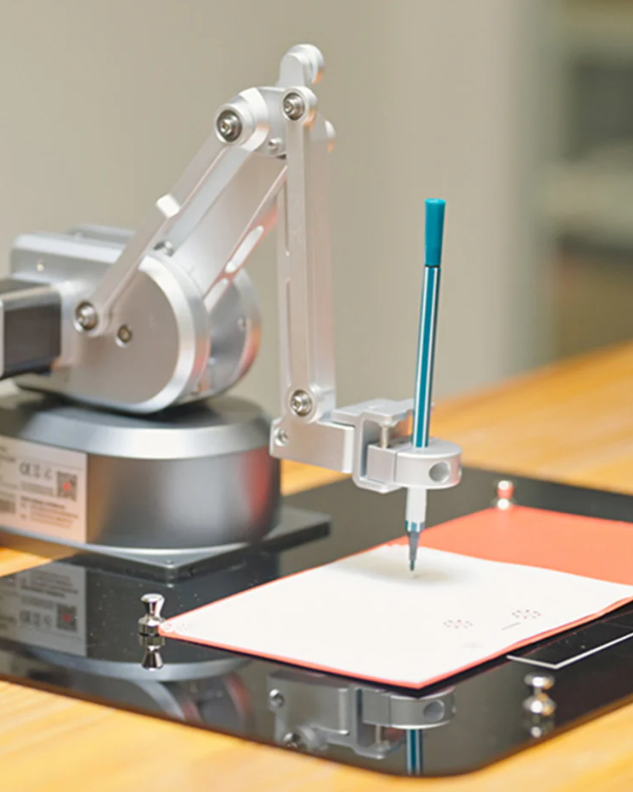
Drawing KIT UltraArm

Drawing KIT UltraArm
New
Create unlimited custom product blocks and display them in accordions or tabs or open blocks. Each block can be assigned to all products at once or specific products according to advanced criteria.

Drawing KIT UltraArm

Category: 6-Axis Cobot

Unit: Set

Package
1.Pen Holder*1
2.Magnetic Thumbtack*4
3.Acrylic plate*1

LINK: https://shop.elephantrobotics.com/en-hk/products/drawing-kit-for-ultraarm-p340?_pos=2&_sid=350f909b2&_ss=r
SDK: https://docs.elephantrobotics.com/docs/ultraArm-en/
VIDEO: https://www.youtube.com/watch?v=YnNV5Vav5Vo

Source: Educational Solution row 16.

Be the first to write a review for this product.

Write a review

Note: HTML is not translated!
Bad           Good

Builder in Product TAB

NEW! Since Journal 3.2, the much improved T.A.B (Tabs Accordion Blocks) system supports the page builder inside the tab content. Unlimited Blocks, Tabs or Accordions with any HTML content or the builder interface (supporting custom rows/columns/modules) can be assigned to any individual product or to certain groups of products, like entire categories, brands, products with specific options, attributes, price range, etc. You can indicate any criteria via the advanced product assignment mechanism and only those products matching your criteria will display the modules. Also, any module can be selectively activated per device (desktop/tablet/phone), customer login status and other criteria. Imagine the possibilities.